





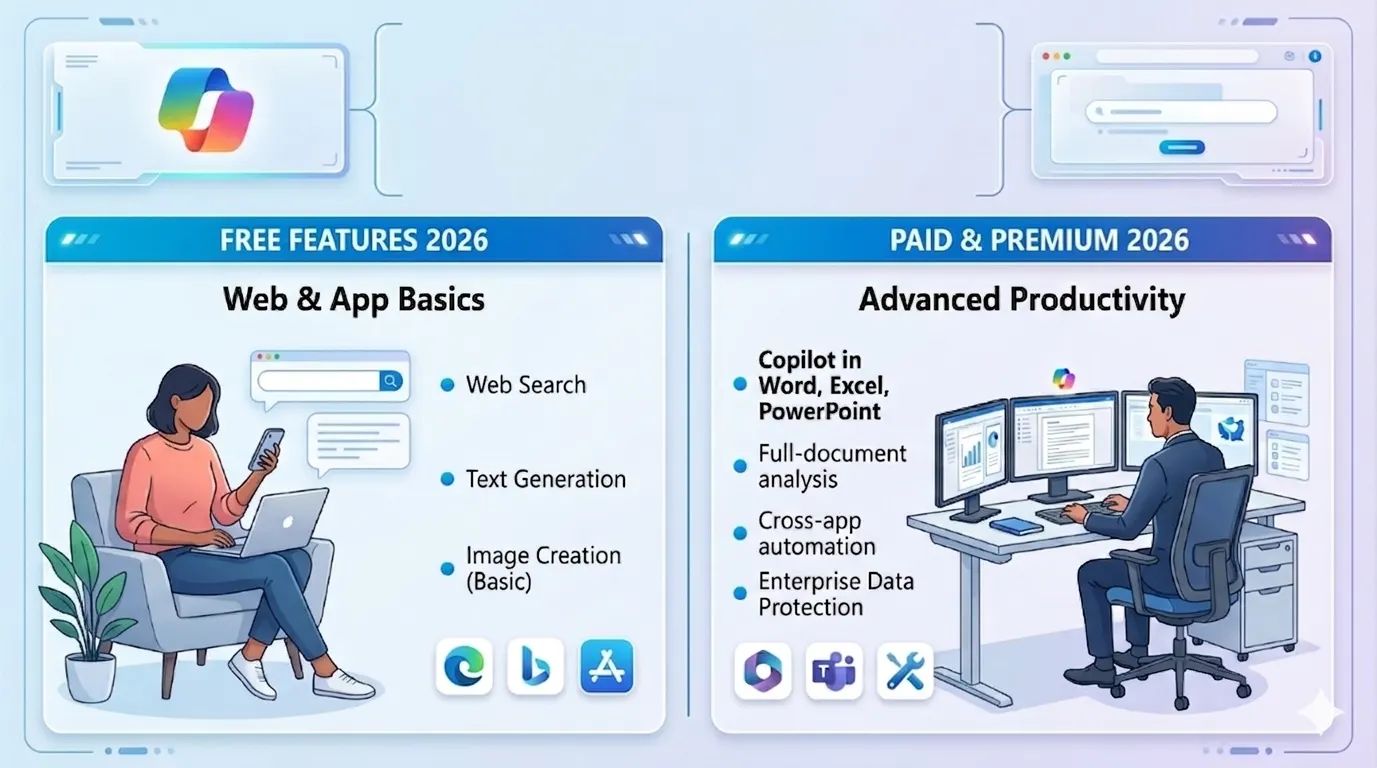
Everyone's turning to Microsoft Copilot these days it's helped millions get stuff done. Back in 2023, the free version really shines for simple daily jobs. Picture this: firing off quick chats for fresh ideas, whipping up emails on the fly, or just ramping up your workday without spending a dime.
The free Microsoft Copilot tools pack serious punch, no subscription required. I'll walk you through exactly what you get for free in Microsoft Copilot 2026, stack it against the paid plans, and share easy steps to jump in. Straight talk only, so you can see if it's right for you.
People often ask: Is Microsoft Copilot free in 2026? Yes, the core features remain accessible at no cost. You can dive into Microsoft Copilot capabilities 2026 right from your browser or Windows device. It's part of the Microsoft AI ecosystem, blending generative AI tools with natural language AI for smooth use. Let's explore the free Microsoft Copilot version features step by step.
What Is Free in Microsoft Copilot 2026? Core Features Explained
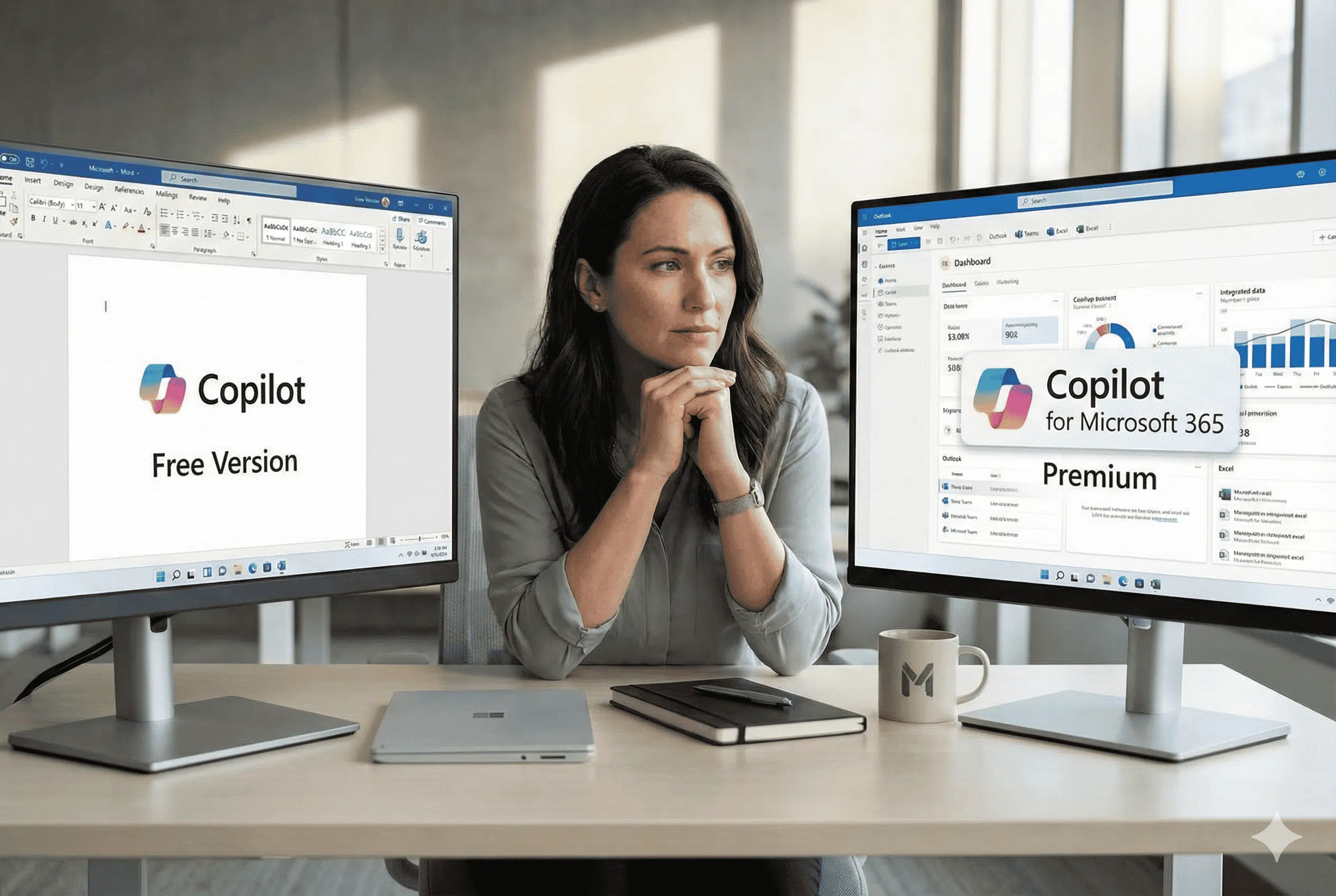
Microsoft Copilot's free version really delivers for everyday users it's the AI assistant that Microsoft fans can't get enough of. Curious about what features are free in Microsoft Copilot 2026? Right at its core, this chatbot integration for Windows pops up effortlessly.
Fire away with unlimited chats to brainstorm ideas, sum up long texts, or whip up fresh content. Try asking it to break down a news story or sketch a snappy social media post; it nails both in seconds.
Free AI tools in Microsoft Copilot include image generation via DALL-E 3 integration. Type "create a sunny beach scene" and watch it build custom visuals.
This shines for creative projects like planning presentations or social content. Microsoft Copilot free version features also cover basic coding help. Need a simple Python script? It writes, debugs, and explains code as an AI coding assistant.
Here's a quick list of standout free Copilot AI free access features:
- Chat and Q&A: Ask anything from recipes to travel tips; responses draw from web data for fresh info.
- Text generation: AI writing assistant for emails, blogs, or lists polished and ready to use.
- Image creation: Generate up to 15 images daily (boosts to more with boosts, but free tier suffices for most).
- Math and reasoning: Solves equations, like E=mc2 breakdowns or budget calculations.
- Voice mode: Speak queries hands-free on mobile apps.
These Microsoft AI Copilot tools list keeps growing. In 2026, updates emphasize cloud-based AI tools for faster responses. What can you do with free Microsoft Copilot? Plenty from planning workouts to summarizing long PDFs. It's not just hype; users report saving hours weekly on routine tasks.
Is Microsoft Copilot completely free to use? Yes, no credit card needed. Sign in with a Microsoft account (free to create) on copilot.microsoft.com, Edge, or the app.
This opens doors to AI productivity software without barriers. For students, it's free for students and businesses too no special plans required for basics. Businesses can test it before upgrading.
Copilot free vs Pro features differ mainly in limits and advanced models. Free uses GPT-4o mini for most tasks, delivering solid results. Pro jumps to full GPT-4o with priority access. But for daily use, free handles 90% of needs.
You may also read :- Microsoft Expands AI Copilot to Enterprise
Microsoft Copilot Pricing vs Free Plan: A Clear 2026 Comparison
Wondering about Microsoft Copilot pricing vs free plan? The free tier costs nothing, while Pro runs $20/month (or $240/year). Free gives unlimited basic chats, but caps advanced image gen at 100/day and no custom GPTs. Pro unlocks unlimited everything, plus plugins like Wolfram for math.
Here's a detailed Microsoft Copilot free vs paid comparison 2026 in a table:
| Feature | Free Plan | Pro Plan ($20/mo) |
|---|---|---|
| Chat Queries | Unlimited (GPT-4o mini) | Unlimited (full GPT-4o, GPT-4 Turbo) |
| Image Generation | 100/day (DALL-E 3) | Unlimited |
| File Analysis | Basic (PDFs up to 20MB) | Advanced (any size, multi-file) |
| Custom Copilots | None | Unlimited creation/sharing |
| Priority Responses | Standard | Peak-hour priority |
| Integrations | Edge, Windows, Bing | + Microsoft 365 apps (Word, Excel) |
| Data Retention | 18 months | Configurable |
This table shows free Microsoft Copilot tools cover essentials. Does Copilot include GPT-4 for free? Not full GPT-4, but GPT-4o mini matches it for most tasks think precise answers without slowdowns. Limitations of Microsoft Copilot free plan include no deep Excel analysis or enterprise security. Still, for personal use, it's unbeatable.
Can I use Copilot without Microsoft 365 subscription? Absolutely. Free stands alone, no 365 needed. What is included in Copilot free plan? Everything listed above, plus voice typing and web search grounding for accurate facts. Is Microsoft Copilot better than ChatGPT free version? Copilot edges out with native Windows/Edge ties and real-time Bing data, while ChatGPT free lags on current events.
In 2026, Microsoft Copilot capabilities 2026 shine in automation tools AI like scheduling reminders or email drafts. Free users get seamless access, making it ideal for beginners.
Free Copilot for Windows Features: Hands-On Guide
Free Copilot for Windows features make your PC smarter. In Windows 11, it's baked in as an AI companion. How to access Copilot free in Windows 11? Right-click the taskbar, select "Show Copilot," or press Win+C. No downloads needed it's there post-update.
How to use Microsoft Copilot free version step by step:
- Open Windows Settings > Personalization > Taskbar.
- Toggle Copilot on (free by default).
- Click the Copilot icon (blue swirl) on your taskbar.
- Type or speak: "Summarize my open tabs" or "Set a timer for 10 minutes."
- Pin responses or export to Notepad.
Copilot in Edge free features extend this. In Microsoft Edge, hit the sidebar icon for instant chats. Free perks include tab summaries, shopping deal finds, and PDF explanations. For example, upload a recipe PDF it extracts ingredients and suggests tweaks.
Users love how it integrates as chatbot integration Windows-wide. Need help coding? Ask for HTML tweaks while browsing. Free Copilot for Windows features also cover system tweaks: "Optimize my battery" or "Find duplicate files." It's generative AI tools at your fingertips.
How to enable Copilot in Windows 11 for free? Update to the latest build via Settings > Windows Update. Works on Windows 10 too via Edge. Businesses test it free before scaling no commitment.
Real tip: Use it for quick research. Query "best budget laptops 2026" and get pros/cons lists grounded in fresh data. This beats manual searches every time.
Copilot Free vs Pro Features: When to Upgrade?
Diving deeper into Copilot free vs Pro features, free excels for casual users. You get AI writing assistant duties like blog outlines or essay help. Pro adds 365 integration e.g., Excel formulas auto-generated from prompts.
What are the limitations of free Copilot? Daily boosts reset (15 free, earn more via quizzes), no voice in all regions, and basic file uploads. Does Copilot free include GPT-4 or GPT-4 Turbo? Free taps GPT-4o mini (near-identical speed/accuracy); Pro gets full Turbo for complex reasoning.
Microsoft Copilot free version features suit students: Free for students and businesses with core access. Generate study notes or flashcards effortlessly.
Long-tail example: What can you do with free Microsoft Copilot? Draft resumes, plan trips (itinerary + maps), or even role-play interviews. Here's a bullet list of power uses:
- Productivity boosts: Auto-summarize meetings from transcripts.
- Creative fun: Write poems or generate party invites with images.
- Learning aid: Explain quantum physics simply, with diagrams.
- Daily helpers: Weather outfits, grocery lists, or motivation quotes.
- Tech support: Troubleshoot "why is my Wi-Fi slow?" with steps.
Is Microsoft Copilot free for students and businesses? Yes core free tier works everywhere. Pro adds business analytics. Pro shines for heavy users: Unlimited file analysis (e.g., 100-page reports) and custom agents. But 80% stick with free, per Microsoft stats.
Advanced Copilot Free Tools and Tips for 2026 Users
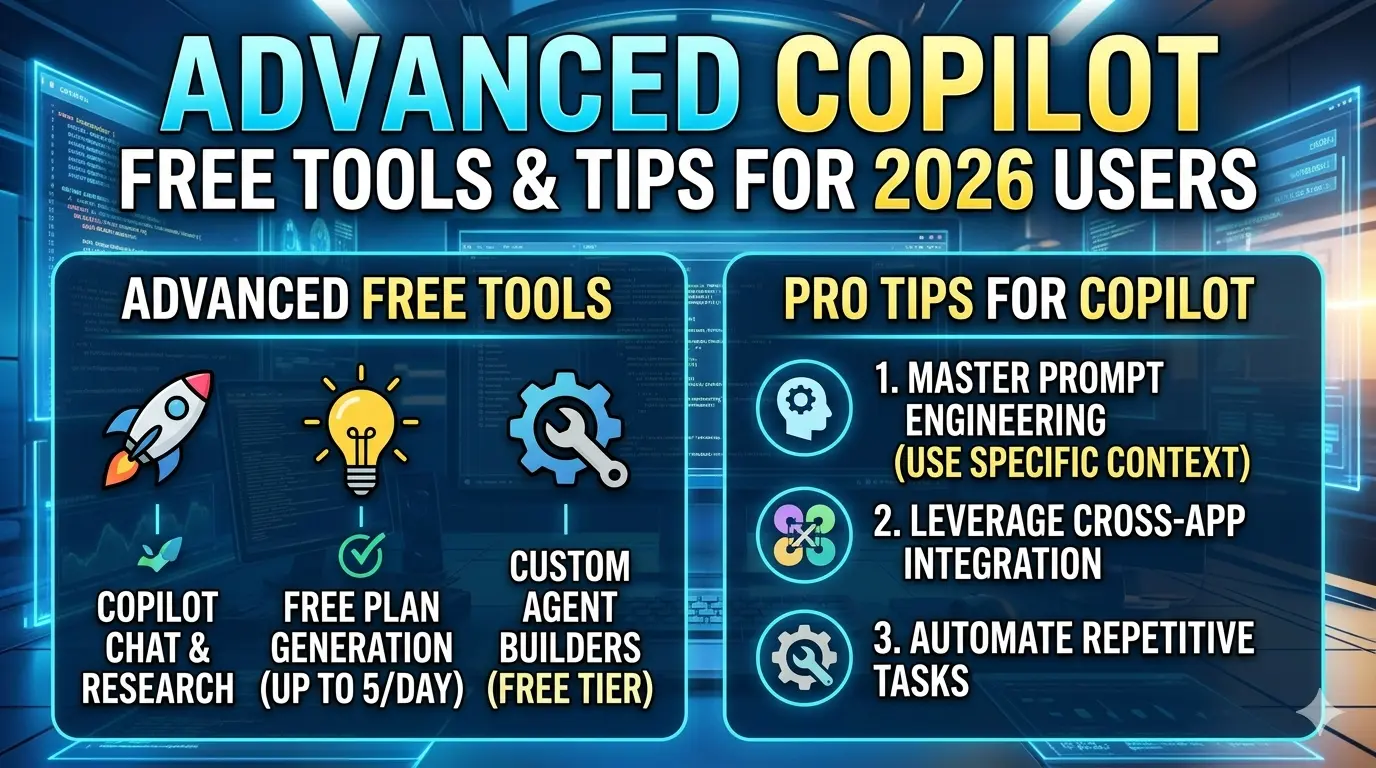
Microsoft Copilot free features 2026 evolve with AI productivity software updates. New in 2026: Deeper natural language AI for conversational memory ask follow-ups like "expand on that recipe." Free AI tools in Microsoft Copilot now include "Think Deeper" mode for step-by-step reasoning on puzzles or plans.
Explore the Microsoft AI Copilot tools list:
- Designer tool: Free image edits, like "make this photo brighter."
- Recall feature: Summarizes your screen activity (opt-in, privacy-focused).
- Mobile app: Android/iOS free chats with camera integration scan docs for instant summaries.
- Bing integration: Free Copilot in Edge free features pull live sports scores or stock prices.
For developers, AI coding assistant shines free: "Write a React component for a login form." It outputs clean code with comments.
Pro users get extras, but free covers automation tools AI like email sorting suggestions. Tip: Combine with Windows "Organize my desktop icons by color" actually works.
Is Microsoft Copilot completely free to use across devices? Yes, syncs via account. Cloud-based AI tools ensure it's always updated.
Practical 2026 scenario: Planning a family vacation. Prompt: "Budget trip to Goa for 4, under ₹50,000." It lists flights, stays, and tips saving hours.
Students use it for essays: "Outline Shakespeare's Hamlet with quotes." Businesses draft reports: "Analyze Q1 sales data trends." To max free value, earn boosts daily via mini-games in the app. This bypasses limits cleverly.
Step-by-Step: Maximizing Free Microsoft Copilot in Daily Life
Let's expand on how to use Microsoft Copilot free version step by step for real workflows. Start with setup: Visit copilot.microsoft.com, sign in. Choose "Creative," "Precise," or "Balanced" modes.
Daily routine example:
- Morning: "What's my schedule today? Weather in Delhi?"
- Work: "Draft email to boss about project delay."
- Break: "Quick 5-min workout plan."
- Evening: "Summarize top UFC news."
For Windows: Pin Copilot to taskbar. Voice commands like "Hey Copilot, play chill music" integrate with Groove. Free Copilot for Windows features extend to gaming "Explain Free Fire strategies." Parents love it for homework: "Solve 2x + 3 = 7, show steps."
- Business angle: Free for businesses basics like competitor analysis. "Compare Tesla vs Tata EVs 2026 mileage."
- Image gen tips: Specify styles "cyberpunk city in watercolor." Limits? 100/day plenty for pros.
- Coding deep dive: Free handles JavaScript, Python, SQL. Prompt: "Debug this loop: for i in range(10): print(i*2)" fixes instantly.
- Compared to ChatGPT: Copilot free wins on Microsoft ties (e.g., Outlook summaries) and no login walls for basics.
Conclusion: Is Free Copilot Right for You in 2026?
Microsoft Copilot's free tier in 2026 delivers robust value as an AI assistant Microsoft refined over years. From chatting to coding, free Microsoft Copilot tools handle most needs without cost. Weigh Microsoft Copilot pricing vs free plan upgrade only for heavy 365 use.
Key takeaway: It's completely free, GPT-4o mini-powered, and Windows-native. Limitations exist, but workarounds like boosts keep it flexible. Dive in today for AI productivity software that feels magical yet practical.
FAQs
Is Microsoft Copilot free in 2026?
Yes, Microsoft Copilot remains free in 2026, but with stricter limitations compared to previous years, especially for commercial users. Microsoft is narrowing the functionality of the free version, pushing more advanced, integrated, and high-usage features behind paid subscriptions like Copilot Pro or Microsoft 365 Copilot.
What are the limitations of free Copilot?
Free Copilot caps image boosts at 100/day, basic file uploads (20MB max), no custom agents, and slower peak responses. Pro gets unlimited everything.
Does Copilot free include GPT-4 or GPT-4 Turbo?
Uses GPT-4o mini mainly; GPT-4 Turbo available in free Creative boosts. Full access is Pro-only.
How to enable Copilot in Windows 11 for free?
Update Windows > Settings > Taskbar > Toggle Copilot on > Win+C. Free with Microsoft account.
Is Microsoft Copilot better than ChatGPT free?
Yes for Windows/Edge users better integrations, real-time Bing data. ChatGPT wins for pure text creativity.