






.webp)
The best AI-powered smart home cameras combine crystal-clear video with intelligent processing to identify real threats, protect property, and give homeowners true peace of mind. As a security hardware technician with ten years of field installation experience, I have personally tested how on-device chips instantly separate the harmless movement of blowing leaves from an actual human intruder. Today, leading systems process data directly on the device to send rapid alerts, reduce annoying false alarms, and preserve your privacy without requiring expensive cloud subscriptions or continuous internet connections.
Why Do Modern Properties Need Artificial Intelligence Surveillance?
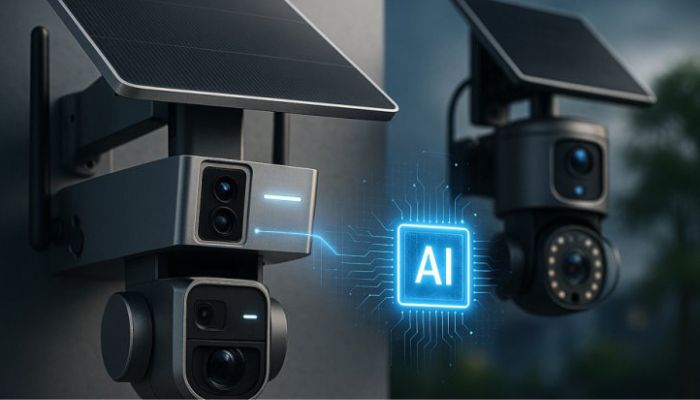
Older traditional security cameras simply monitor pixel changes across a screen. This basic method causes endless trouble for property owners. A passing car headlight, a wandering neighborhood cat, or a simple heavy rainstorm will trigger constant false alarms on your phone. You eventually turn off the notifications out of pure frustration, which completely defeats the purpose of having a security system.
Modern devices fix this issue by using built-in vision processing chips. The internal software scans the shapes in the video frame in real time. It looks for specific physical traits like torso dimensions, walking patterns, and vehicle profiles. This ensures that you only receive a mobile notification when a genuine event occurs on your perimeter.
You may also read :- Best AI Gadgets for Productivity: Upgrade Your Workflow
The Core Advantages of Local Vision Processing
Running data calculations directly on the physical hardware instead of sending footage to a distant cloud server offers immense benefits for users. Local processing keeps your private data secure inside your own walls. Hackers cannot intercept video feeds that never leave your home network.
- Zero Monthly Fees: Many premium brands now offer free person, pet, and package detection straight out of the box.
- Instant Notification Speeds: Local processing removes internet travel time, sending alerts to your phone in under a second.
- Continuous Offline Protection: Your property stays fully monitored even if your main internet service goes out during a storm.
Choosing the Best AI Powered Smart Home Cameras for Complete Protection
Selecting the right equipment requires looking past basic marketing claims. You must check the specific features that handle real-world challenges. True intelligent surveillance relies on high-resolution image sensors, clear night vision, and capable physical processors.
High Resolution Image Sensors
A good camera sensor gives you the clear details you need. You can see faces or read a license plate from far away. For a small room, a basic HD camera works fine. But for a big yard or parking lot, you want something sharper. A 2K or 4K camera lets you zoom in on faraway objects. The image stays clear. It doesn't turn into a blocky mess.
Clear Night Vision in Color
Bad guys like to use the dark to hide. But today's cameras are built for this. They have bigger lenses that can capture tiny bits of light. Even if it's just light from the moon or a streetlamp, it's enough. The camera uses that light to create a bright, full-color picture. This is a game-changer. You can see the real color of a person's jacket or their car. That detail can help you identify them quickly.
The Best AI Security Camera for Home Use Indoors
Indoor property monitoring requires a delicate balance between helpful vigilance and absolute personal privacy. The modern indoor market offers specialized features like automated pan-and-tilt tracking, local storage slots, and physical privacy shutters that mechanically cover the camera lens when you arrive home.
Automated Motion Tracking Systems
Advanced indoor models feature motorized bases that physically turn the camera lens. When the internal chip identifies a human shape, the motorized base rotates to follow that person across the entire room. This gives you a complete visual record of an entire event using just a single piece of hardware.
Smart Home Ecosystem Integration
Top-tier indoor devices connect easily with major smart home platforms. You can view live video feeds directly on smart displays with a simple voice command. Advanced users can set up automated rules, such as turning on the living room lights whenever the lens detects motion after midnight.
Deploying a Strong AI Security Camera Outdoor System
Outdoor cameras face tough conditions. Rain, snow, and direct sun can break weak devices. Good outdoor cameras have strong weatherproof shells. They keep water and dust out. They also need stable power. Wireless models must hold a signal through walls and bad weather. Wired ones need steady cables that won't fail. The best brands test their gear in extreme heat and freezing cold. They make sure the camera works every time, no matter the weather.
Solar Powered Infrastructure
Climbing up tall ladders every few months to change batteries causes unnecessary hassle. Top outdoor selections include built-in or attachable solar panels. These panels continuously charge the large internal batteries during daylight hours, providing endless power for overnight monitoring.
Active Deterrence Technology
The most effective way to handle a trespasser is to stop them before they touch your door. Active deterrence systems use the camera's vision chip to spot humans entering your property boundary. The device then blinks a bright built-in spotlight and sounds a loud audio siren to scare the intruder away immediately.
Implementing an AI Security Camera for Business Operations
Businesses need a totally different kind of security than homes do. A house just needs to watch a front door and a backyard. But a store or an office has to keep an eye on big parking lots, busy hallways, and stockrooms full of expensive goods. Many companies have more than one building to protect. They also want to know how many customers come in and out each day. That is a lot more work for a security camera. So the cameras for businesses have to be tougher and smarter. They need to handle wide open spaces and lots of movement all at once.
| Surveillance Feature | Residential Setup | Commercial Setup |
| Primary Goal | Family safety and package tracking | Asset protection and liability defense |
| Storage Type | Local memory card or cloud storage | Central network video recorder (NVR) |
| Advanced Tools | Basic person and pet separation | Face search, license plates, and counting |
| Camera Count | Usually 2 to 5 devices per home | Often 16 to over 100 devices per site |
Smart Metadata Search Capabilities
Searching through days of continuous video footage wastes precious business hours. Commercial business software lets managers filter through recordings using specific search terms. You can instantly search for a blue shirt, a white delivery truck, or a specific license plate number across multiple camera feeds simultaneously.
Line Crossing and Intrusion Boundaries
Business owners can draw digital boundaries directly onto the live camera view. You can set the software to ignore normal customer activity during the day, but trigger an emergency alarm if anyone steps behind the main sales counter or enters the storage warehouse after closing hours.
Crucial Privacy Frameworks and Local Video Storage
Data privacy has become a major concern for smart property owners worldwide. Relying on cloud storage exposes your private data to potential corporate server leaks or unapproved remote access.
Local Memory Card Storage
Choosing equipment with built-in microSD memory card slots keeps your video files completely in your own hands. The recorded data stays on the physical card inside the camera chassis. This design ensures that your video files remain safely inside your building, protected from online threats.
Complete Video Stream Encryption
Good camera makers keep your video safe. They use special codes to scramble your footage from the camera to your phone. This is called encryption. If someone tries to sneak a peek at your network, all they will find is messy, unreadable data. They will not see your family or your home. This keeps your private life private.
Simple Step-by-Step Security Setup Guide
Setting up your smart equipment correctly ensures that you get the highest possible performance from your new hardware. Follow this direct installation sequence to optimize your coverage zones.
1. Run a local network signal test: prerequisite.
Hold your mobile device exactly where you plan to mount the camera. Verify that your wireless network signal shows full strength at that precise spot before drilling any permanent holes into the wall.
2. Mount the camera hardware at the correct angle: installation.
Attach the mounting base securely to the wall at a height of eight to nine feet above the ground. Tilt the camera lens downward at an angle of fifteen to twenty degrees to capture the best view of human faces.
3. Draw Custom Digital Activity Zones: Configuration.
Open the mobile application and draw digital boundaries around your actual property line. Exclude busy public sidewalks and moving street traffic to completely eliminate unnecessary alert notifications.
4. Test the Sensitivity of the Internal Processor: Verification.
Walk through the monitored zone at different speeds during the day and night. Adjust the internal software slider until the system reliably flags your presence without triggering alerts for small birds or shifting shadows.
Frequently Asked Questions
Q: Do smart cameras need the internet to work?
No, not for basic recording. Many smart cameras can detect people, cars, and pets right on the device. They do not need the internet for this. The camera has a small computer inside that does the thinking. It can save video to a memory card too. You only need the internet if you want to watch live video from your phone when you are away from home. This is great for people with slow internet or data limits.
Q: How do smart cameras avoid false alerts during storms?
Old cameras see any movement and send an alert. This means rain, snow, and tree branches can set them off all day. Smart cameras are different. They look for specific shapes. They know what a person looks like. They know what a car looks like. If the camera sees rain, it ignores it. If it sees a person, it sends an alert. This means you only get alerts that matter to you.
Q: What is the difference between cloud and local storage?
Cloud storage sends your video to a company's servers over the internet. You usually pay a monthly fee for this. You can watch your videos from anywhere. Local storage saves video to a memory card in the camera or a box in your home. You do not pay monthly fees. Your video stays with you. You control who sees it. Both have good points. Think about what matters more to you: easy access or total privacy.
Q: Can a smart home surveillance system distinguish between different family members?
Many top-tier modern devices include advanced familiar face recognition features. Once you label your family members in the mobile application, the camera's internal processor learns their unique facial traits. The system can then send a specific notification stating that your child has arrived home safely, rather than sending a generic motion alert.